Engineering
Rise of the planet of the AI'pes
Just because one isn't running around like an ape who has just discovered fire doesn't mean one doesn't know how to cook.
Read storyEvery screen in the house has an HDMI input. So why is every source stuck behind just one of them?

Motivation for this project came from following frustrations:
They are screens, and they both have HDMI inputs.
And what do input devices have in common? They mostly use USB or Bluetooth.
So why not centralize all HDMI sources and make them available to any screen in the house? Rhetorical question.
In order to centralize all HDMI sources, there was a need for a device that any HDMI source could plug into, and that could route it further to any HDMI display.
Probably we all have heard of HDMI switches, but that is just multiple inputs to one output. That will not work, as we want at any time to be able to choose what source goes to what display.
    PC   ──────┐
               │    ┌───────────────┐
    PS5  ──────┼───▶│  HDMI SWITCH  ├───▶  Monitor
               │    └───────────────┘
    Xbox ──────┘

    many sources                          one screen
Matrix to the rescue. Not Neo, but a switch on steroids — any source, to any screen, at the same time.
    PC   ──────┐                         ┌───▶  TV
               │    ┌───────────────┐    │
    PS5  ──────┼───▶│  HDMI MATRIX  ├────┼───▶  Monitor
               │    └───────────────┘    │
    Xbox ──────┘                         └───▶  TV 2

    many sources                          many screens
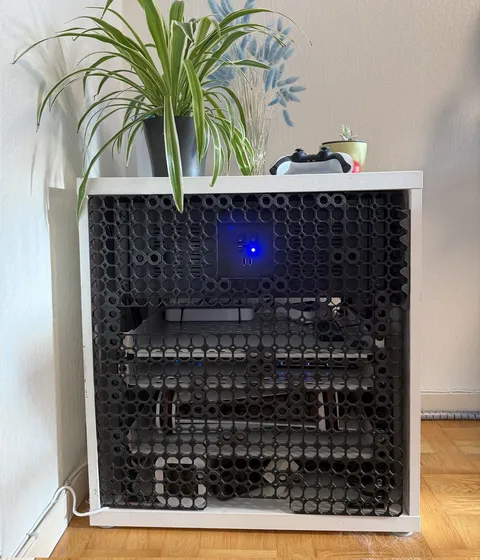
Cable spaghetti will not be avoided, but it can be centralized. The next step was to build an address where all the HDMI sources would “live”.
With the setup like this, nobody needs to negotiate over a screen. If you are in the middle of a game, and someone wants to watch Netflix, you can move your game to the next screen and continue.

Written by EdgeLimits
Just because one isn't running around like an ape who has just discovered fire doesn't mean one doesn't know how to cook.
Read storyLessons from building and maintaining enterprise-scale systems with Django, PostgreSQL, Celery, and RabbitMQ — the hard problems nobody warns you about.
Read storyThe last thing standing between a box full of gadgets and an actual piece of furniture was the front panel. So I printed one.
Read story